As an Amazon Associate, we earn from qualifying purchases. Some links on this site are affiliate links at no extra cost to you. Our recommendations are based on thorough research and editorial judgment.

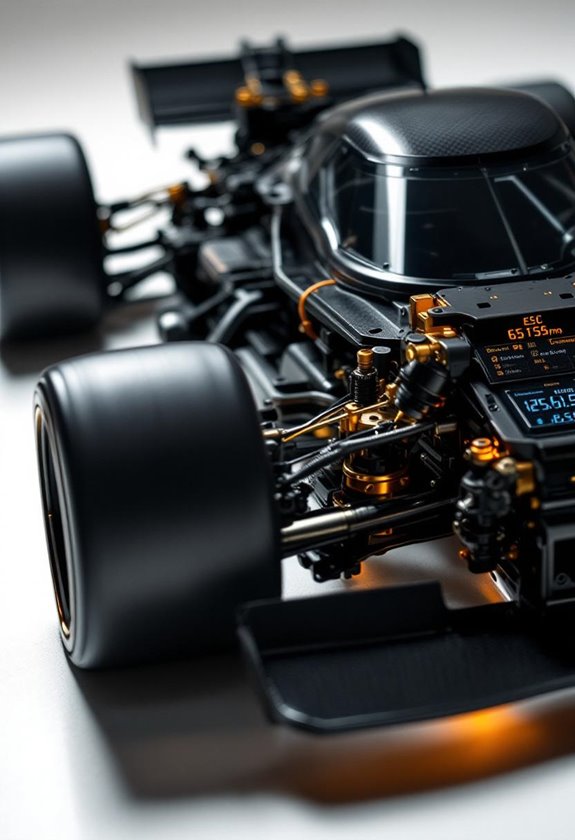
What ESC Settings For Blinky Mode?

To set up your ESC for Blinky mode, we need to adjust a few key settings. First, set all timing values to zero degrees. Next, disable boost and turbo features. It’s also crucial that our firmware is up to date; this guarantees everything runs smoothly. Remember, Blinky mode is all about fairness and skill in racing. Stay tuned for more tips on optimizing your setup for the best performance on the track!
Key Takeaways
- Set all electronic timing values to zero degrees to disable timing advance and ensure compliance with Blinky Mode.
- Disable boost and turbo parameters to maintain consistent performance across competitors.
- Select “Blinky mode” or “Non-Timing operation” from the ESC run mode menu for correct activation.
- Keep firmware updated to avoid compatibility issues and ensure access to the latest features.
- Save settings and power cycle the ESC to activate Blinky Mode effectively.
Understanding Blinky Mode and Its Importance
You may be interested
When we think about racing, we often focus on the skills of the driver or the mechanics of the vehicle. However, understanding blinky mode is vital for racing fairness.
- Blinky Mode Overview: This mode disables electronic timing adjustments, ensuring no “ESC magic” enhances motor speed.
- Purpose: It levels the playing field in spec class racing, where drivers’ skills are emphasized, not electronic tuning.
- Impact: Without ESC timing increases, we must carefully choose gear ratios for peak performance and manage motor temperatures. Additionally, having a reliable battery life is critical in maintaining consistent performance throughout races.
Essential ESC Settings to Activate Blinky Mode
Activating Blinky mode requires precise settings and an understanding of your ESC (Electronic Speed Controller). To guarantee Blinky operation features function properly, we must adhere to specific ESC calibration techniques. Start by setting all electronic timing values to zero degrees; this is essential since Blinky mode operates without timing advance.
Next, disable or set boost and turbo parameters to zero. Verify there are no irrelevant turbo settings activated. Utilizing a programming card or ESC software, select “Blinky mode” or “Non-Timing operation” from the run mode menu. Confirm that your ESC firmware supports these settings and reflects them in LED indicators.
Lastly, save these settings and power cycle your ESC to guarantee Blinky mode is permanently activated for competitive compliance. Remember that to maintain optimal performance, regular maintenance of the ESC and related components is crucial for ensuring reliable operation in competitive settings.
Recommended Products

HOBBYWING over-the-air firmware update. Programming through a smartphone, smart devices

XERUN series car model brushless ESC (V2.0 and above) EZRUN series car model brushless ESC (V2.0 and above) PLATINUM series air model brushless ESC SEAKING Pro series ship model brushless ESC Some ESCs of QUICRUN series Remarks: 1. The scope of application here can also be understood as all the escs that the old LCD G2 program box and OTA Bluetooth module can support. 2. Whether the programmable box is supported depends on the specific ESC model. If necessary, you can check the ESC information introduction on the official website or consult the Hobbywing official.

This LED program box is compatible with HobbyWing brushless ESCs. Its friendly interface makes ESC programming easy and quick.
Timing Settings: Boost and Turbo Parameters
Understanding the timing settings for boost and turbo parameters can seem intimidating, but it’s essential for enhancing performance in RC racing. Let’s break it down:
- Boost Timing: This starts at a set RPM and gradually increases until it reaches a finish RPM. Typical values range from 3-10 degrees, with more advance for larger tracks. It enhances mid-range acceleration and corner exits.
- Turbo Timing: Engaging after a specific RPM or full throttle, turbo timing can add 25-38 degrees of timing advance for quick power bursts. Careful control of delays and slew rates is critical to avoid excessive wheelspin.
Getting these settings right can transform your race experience, ensuring smoother power delivery and better control on the track. Additionally, optimizing your settings can be especially beneficial for vehicles powered by brushless motors, which are known for their efficiency and high-speed capabilities.
Recommended Products

【High Power ESC】Supports 6-12S LiPo batteries,Adjustable BEC output (6V/7.4V/8.4V),current up to 25A.The ESC supports 400A continuous current and a maximum instantaneous current of 800A,Turbo timing adjustable is available from 0°to 26°

The Max6 G2 features Hobbywings new water proof sensor system, and also supports sensorless operation. Rated at úp to 200 amps the Max6 G2 is ready to take on your high powered as builds. Powerful, smooth, with linear control through the entire RPM range: The ESC is suited for everything from hard starts, high speed runs, and low speed response that is unmatched.

【High Power ESC】Supports 3-8S LiPo batteries,Adjustable BEC output (6V/7.4V/8.4V),current up to 25A.The ESC supports 550A continuous current,Turbo timing adjustable is available from 0°to 26°
The Role of Softening in Timing Management
Softening plays an essential role in timing management for our RC vehicles, particularly when we’re looking to optimize our throttle response. The softening influence directly impacts how we apply power.
- A low softening value suits high-grip tracks, providing strong initial throttle power.
- Higher values, on the other hand, are better for slippery surfaces, helping to reduce wheel spin.
The softening range is where we can control the throttle input window. Setting this range affects how early and long softening applies during acceleration. This adjustment contributes to improved traction management and throttle precision, ensuring we maintain control. Additionally, adjusting these settings can lead to enhanced performance attributes as seen in various top-performing models.
How to Save and Confirm Blinky Mode Activation
Setting up Blinky mode on your ESC doesn’t have to be complicated. To start, we need to activate the programming mode by holding the SET or MODE button with the throttle at neutral. Once inside, we can cycle through options using the SET/MODE button, watching for the red LED indicators that flash to show our position. Choosing zero Turbo and Boost timing is essential for Blinky mode. After selecting, we confirm activation with a specific rapid red LED flashing pattern. We must save these settings—often indicated by a color change or blinking—before power cycling the ESC. Finally, we verify our setup by turning the ESC off and back on, ensuring the LED simplifies validation, confirming Blinky mode is active and ready for action on the track. Additionally, understanding battery life can enhance racing experiences by ensuring optimal performance throughout your sessions.
Performance Implications of Using Blinky Mode
Having confirmed our Blinky mode activation, it’s important to understand how this setting impacts our car’s overall performance.
- Acceleration Benefits: We gain faster acceleration at lower RPMs thanks to less timing delay, enhancing our race strategy with improved torque management.
- Torque Management: The absence of turbo timing means we must focus on gearing adjustments to balance acceleration and top speed.
- Battery Efficiency: Blinky mode often leads to lower current spikes, improving battery life during races by reducing heat generation.
While we trade peak power for smoother, more consistent performance, it levels the playing field in spec racing, allowing our driving skills to shine. Additionally, understanding the importance of battery performance can further optimize our racing experience through meticulous setup adjustments. Ultimately, understanding these implications helps us make informed racing strategies for ideal performance.
Ensuring Compliance With Racing Regulations
Understanding and ensuring compliance with racing regulations is essential if we’re going to compete effectively. To meet ESC compliance, we must adhere to several key guidelines:
- Default Modes: ESC systems need to restart in their original stable mode.
- Proper Labeling: Modes that disable functionality must be clearly marked as “ESC Off.”
- ROAR Approval: Using ROAR-certified ESCs is critical for Brushless Motor classes.
- Blinky Mode Restrictions: We can’t use performance boosts or electronic aids; they must stay off to maintain driving skill.
Common Challenges in Setting Up Blinky Mode
When we plunge into configuring Blinky Mode, we might encounter several common challenges that can complicate the setup process. One of the biggest hurdles is ensuring firmware and software compatibility. Not updating ESC firmware can lead to issues like the LED failing to blink, indicating that Blinky Mode isn’t active.
Here are some common problems we may face:
- ESC not recognized: Check connections and battery power.
- Incorrect timing settings: This could lead to overheating or poor performance.
- Calibration mishaps: A lack of correct throttle and brake range can disrupt our setup.
For troubleshooting tips, always confirm connections and update firmware before starting. These steps help smooth our path to mastering Blinky Mode configuration.
Recommended Products

Loaded with EXB (Extreme Bash) upgrades for stunt-ready toughness

Upgraded with EXB (Extreme Bash) parts for no-fear toughness

【ONE-CLICK WIFI UPDATE】 Creader VII+ V3.0 2026 Upgrade Version diagnostic scanner tool features a smarter WiFi update for the easiest upgrade experience. Say goodbye to computers, cards, or cables – simply connect to WiFi and update with one click. 🔄It supports lifetime free online updates and includes 5 years of quality care, ensuring your tool stays current without subscription fees.🎁F-ree Glft: EL-50448 TPMS Activation Tool . Any problem, reach us via 📩 Tech_Launchoriginal @📩 outlook. Com
Practical Tips for Blinky Mode Configuration
While we explore the nuances of Blinky Mode configuration, it’s vital to keep a few practical tips in mind to make the setup process smoother. First, remember that Blinky mode benefits us by minimizing overheating risks. Next, we’ll want to carefully adjust throttle sensitivity settings. By calibrating the throttle deadband, we can improve control and prevent unwanted wheel spin, especially on slippery surfaces.
Here are a few key points to take into account:
- Set throttle softening between 15-25% for traction on low-grip tracks.
- Avoid adding motor timing; stick to zero for compliance.
- Verify firmware is updated for the latest Blinky mode features.
With these tips, we’ll maximize our performance while adhering to stock-class regulations.
Recommended Products

Direct Fit for 2003-2008 Mazda 6 L4-2.3L 2003-2008 Mazda 6 V6-3.0L 2003-2009 Mazda RX-8 R2-1.3L 2006-2014 Toyota FJ Cruiser V6-4.0L 2005-2020 Toyota Tacoma L4-2.7L 2005-2015 Toyota Tacoma V6-4.0L 2016-2020 Toyota Tacoma V6-3.5L

Eliminate Pedal Lag And Improve Your Ram’s Throttle Response: Enhance driving precision and responsiveness with the SpeedForm Throttle Controller, engineered for 2009–2018 Dodge RAM 1500. By reducing electronic throttle delay from the drive-by-wire system, it ensures smoother, faster input for confident acceleration whether towing, cruising, or merging.

【Compatibility】The throttle response controller compatible with 2011+ Ford F150, 2011+ F250 F350 F450 F550 Truck, 2011+ Explorer, 2011+ Mustang (5th & 6th Gen), 2021+ Bronco (U725), 2012-2021 Ranger, 2011+ Edge (1th & 2th Gen), 2011+ Fusion (1th & 2th Gen), 2013+ Taurus (6th & 7th Gen), 2011+ Focus (3th & 4th Gen), 2011-2021 Expedition (3th & 4th Gen), 2018+ Ecosport, 2015-2019 Everest, 2013+ Transit, 2010+ Grand C-MAX (CB7), 2013+ Kuga, 2015+ Troller T4, 2015+ Mondeo. Please check the pictures for specific models.
Comparison of Blinky Mode vs. Standard Timing Modes
Blinky mode and standard timing modes serve different purposes in the domain of ESC configurations, and each has its own set of advantages and limitations.
- Blinky Advantages:
- Simple and straightforward—no dynamic adjustments.
- Guarantees timing fairness in spec-class racing, keeping performance levels consistent.
- Standard Timing Modes:
- Include dynamic timing adjustments, boosting motor speed.
- Result in higher RPM and better acceleration but can cause overheating.
While Blinky mode might slow motor response, it requires fewer thermal management considerations. In contrast, standard modes produce quicker performance but necessitate careful configuration to avoid overheating. Ultimately, your choice depends on the racing context—whether fairness or speed is your goal!
Recommended Products

HOBBYWING XR8 Plus G2s Combo (Offroad B (Xerun 4268 SD G3 2200KV))

XR8 PRO G3 Combo | 2-45 Lipo | BEC 6V/7.4V Adjustable, Continuous Current: 6A(Switch-mode)

Team Associated Blackbox 610R Competition ESC w/Programmer ASC27017 Car Speed Controls & Accessories
CNC machined black aluminum case with integrated heat sink
Frequently Asked Questions
What ESC Brands Commonly Support Blinky Mode?
We’ve found that Hobbywing and Castle Creations ESCs commonly support Blinky mode. Both brands guarantee compliance with stock racing standards, providing consistent performance that appeals to us as competitive racers looking for fairness on the track.
Can I Use Blinky Mode With Non-Spec Racing Events?
Yes, we can use Blinky mode in non-spec racing events for fairness and consistency. Embracing Blinky mode benefits guarantees we adhere to race regulations, leveling the playing field while enhancing our driving skills and enjoyment.
Does Blinky Mode Affect Battery Life During Races?
Yes, blinky mode positively affects battery life during races. By enhancing battery efficiency and enabling predictable current draw, we can develop effective race strategies that maximize runtime and reduce the need for frequent recharges.
Are There Any Specific Motors Best Suited for Blinky Mode?
Smoothly suited sensored motors greatly simplify our Blinky mode experience. Motor compatibility, coupled with key performance factors like thermal efficiency and fixed endbell timing, guarantees we maximize our potential on the track.
How Often Should I Check My ESC Settings for Blinky Mode?
We should check our ESC settings for blinky mode before every race or practice session to guarantee compliance with racing regulations. Regular ESC calibration prevents issues with timing and maintains peak performance throughout our events.